 Trajo
Recurring rounds
Describe the round once: an ordered list of buildings and a rhythm, weekly, biweekly or monthly. Trajo prepares the occurrences ahead of time, up to six weeks.
Property managers
Twelve stops every Monday. Writing them down one by one each week is the kind of task you drop after a month, and the logbook stops with it. Trajo replays the round and classifies the trips.
Available on iPhone and Android
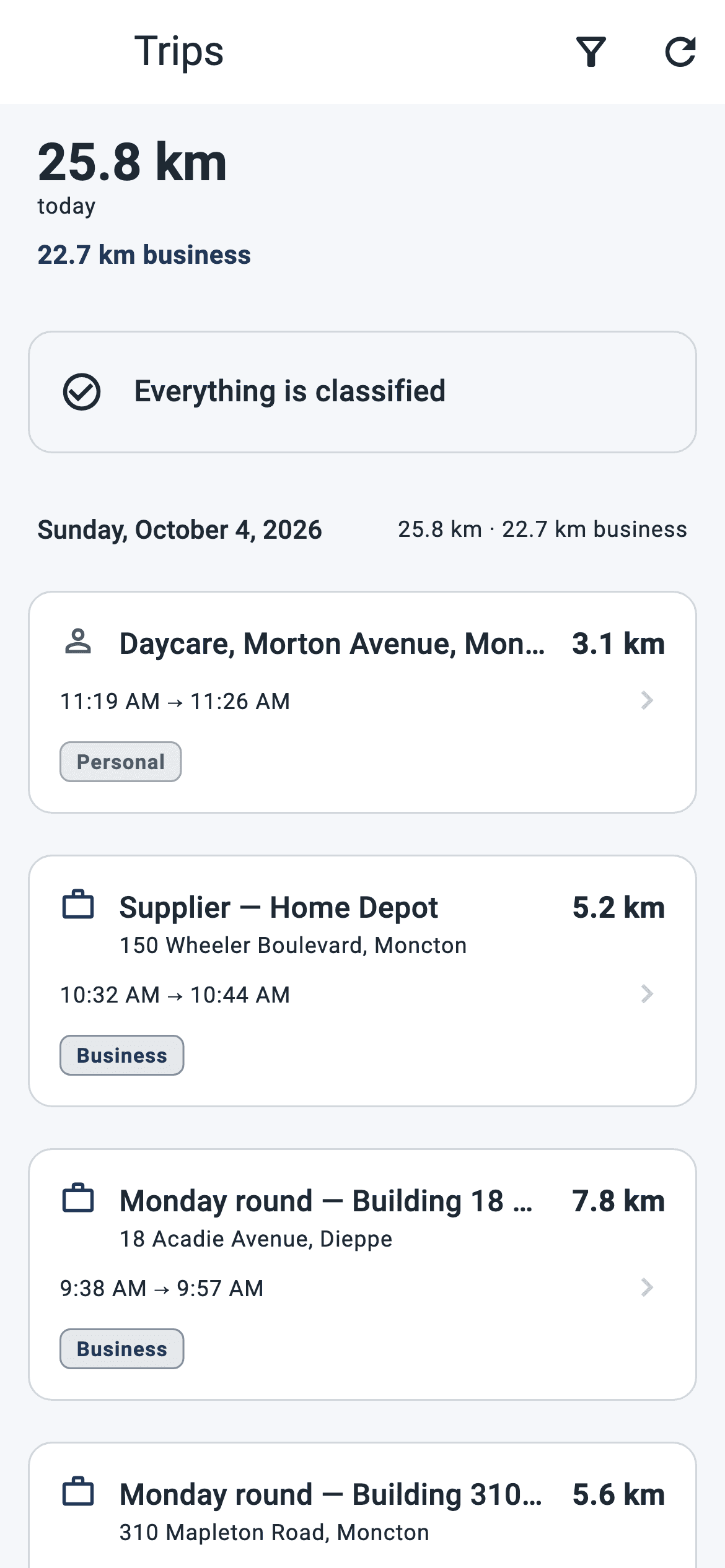
Describe the round once: an ordered list of buildings and a rhythm, weekly, biweekly or monthly. Trajo prepares the occurrences ahead of time, up to six weeks.
Each stop is marked done or skipped, and the trip is tied to the whole round: one business purpose for the whole day, not twelve lines to justify.
A building entered once becomes a known place. An unplanned call that ends there classifies itself, with the building's name as its purpose.
Materials, subcontracting, fuel, parking: the receipt photo, taxes kept separate and the right category, entered on site, even without signal.
Trips start and stop on their own, even with the screen locked. Arriving at a building is recognized and time-stamped by the device, not typed from memory in the evening.
Date, start, end, distance, purpose. As PDF or Excel, in each member's language, with measured and estimated kilometres kept apart.
This week's round is already there, in order. You leave; the trip starts on its own.
Each stop is marked done or skipped as you go. One more owner to see? The visit is created on the spot, offline if need be.
The trips of each round carry their purpose. The CRA logbook is produced as PDF or Excel, for you or for the whole team.
For the organization
Management sees its managers' kilometres, expenses and activity, per member and per calendar month. It does not see the detail of anyone's travel: an employee's logbook is their tax evidence, not a surveillance tool.
The organization never sees a member's live position or route: only totals, after the fact. Everyone keeps a private mode, two taps away, at all times.
In property management that means: management knows how many rounds were done and how many kilometres they cost, not what time each person arrived in front of which building.
Stops are reordered, added or removed on the day's occurrence without touching the template. A skipped stop stays recorded as such.
No. The building is a known place: the trip that ends there classifies itself, with the building's name as its purpose. And a visit is created on the spot in a few seconds.
Every trip is matched to the road network overnight. One that could not be matched is flagged as such in the logbook, with the direction of the error: an estimate is never presented as a measurement.
Never. The company sees no live position, no route, no address and no time of a drive: only monthly totals. And you keep a private mode, two taps away, during which nothing is recorded.