 Trajo
The purpose fills itself from the inspection
An inspection scheduled at an address and a time slot, a trip that ends there: Trajo links the two and writes the business purpose for you.
Inspectors and appraisers
A home inspector drives as much as an agent and claims the same kilometres, without needing an agent's screens. Trajo speaks of inspections and reports, captures the trip and gives it its purpose.
Available on iPhone and Android
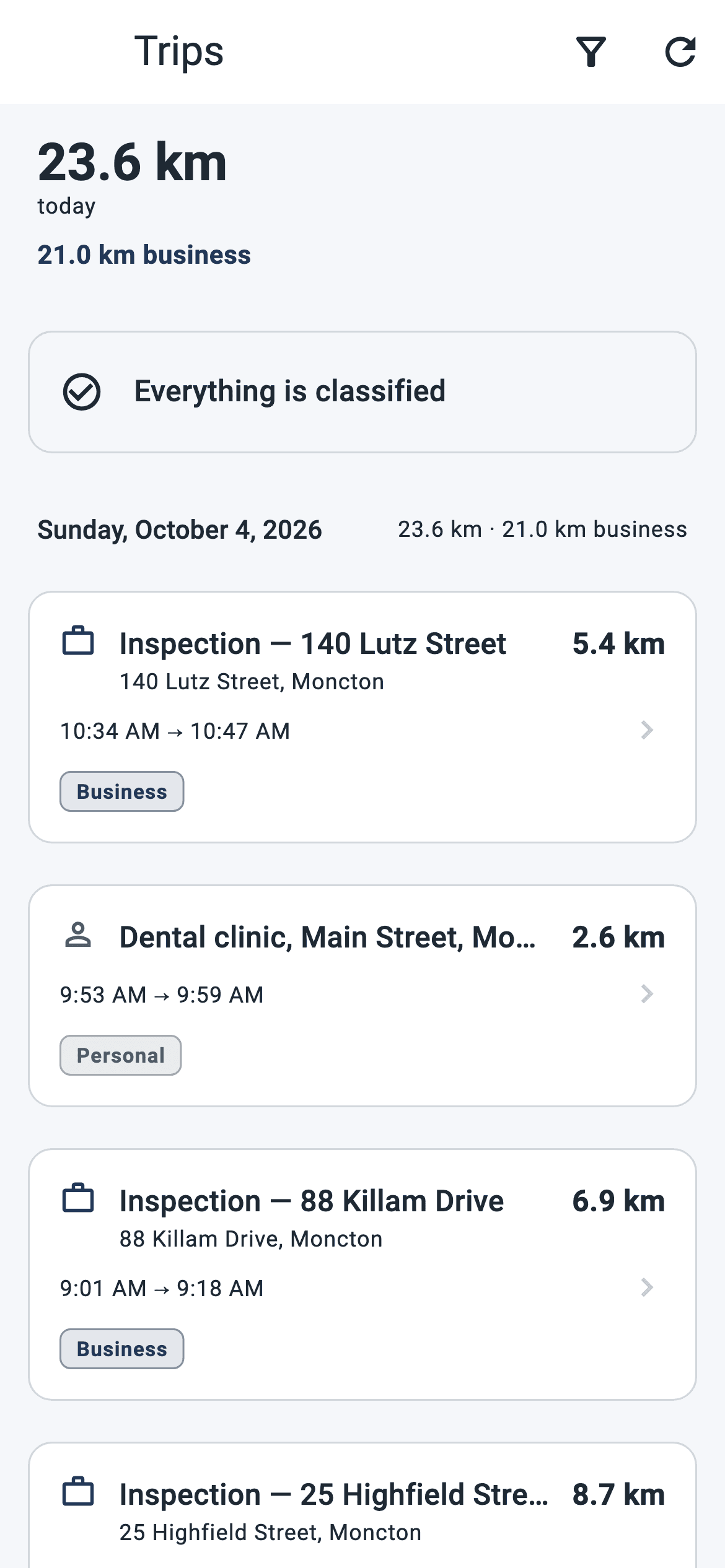
An inspection scheduled at an address and a time slot, a trip that ends there: Trajo links the two and writes the business purpose for you.
Arrival and departure times are recognized on site, not typed from memory in the evening. The time spent in the property is the time you really spent there.
During the inspection, a photo, a dictated note, a remark: everything stays attached to the file, even without signal.
A finished inspection is closed in one tap when the report goes out. Your list says what is still to deliver, with no spreadsheet on the side.
Every client record carries "Referred by". You know which professionals send you work, and you know it without digging through your email.
Equipment, fuel, parking, meals: the receipt photo, taxes kept separate and the right category, entered on site.
The trip starts on its own as soon as the movement is credible, even with the screen locked. No button to press while driving.
Arrival is recognized and time-stamped. Photos, notes and dictation attach to the inspection; departure is stamped in turn, and the trip gets its purpose.
One tap closes the file. At year end, the CRA logbook is produced as PDF or Excel: date, start, end, distance, purpose.
For the organization
Management rolls Trajo out to its inspectors in waves, sees each one's kilometres, expenses and activity per calendar month, and produces logbooks in bulk. It sees neither the route, nor the time, nor the address of a drive.
The organization never sees a member's live position or route: only totals, after the fact. Everyone keeps a private mode, two taps away, at all times.
In inspection that means: the firm knows how many inspections were done and how many kilometres they cost, not what time you arrived in front of which house.
No. The inspection profile turns on no real estate module. The interface says "inspection", "property" and "client", and the menus show only what serves your trade.
Everything continues on the device: trips, photos, notes, expenses, odometer readings. Data leaves on its own when the signal returns, and the screen says what is still waiting to be sent.
Every trip is matched to the road network overnight. One that could not be matched is flagged as such in the logbook, with the direction of the error: an estimate is never presented as a measurement.
Never. The firm sees no live position, no route, no address and no time of a drive: only monthly totals. And you keep a private mode, two taps away, during which nothing is recorded.