 Trajo
Your job sites classify your trips
A job site entered once becomes a known place. Every trip that ends there classifies itself, with the project name as its purpose, for the whole duration of the work.
Contractors and site crews
From a job site to an estimate, from the hardware store to a client: nobody writes that in a notebook, and the CRA does not settle for a round number at year end. Trajo captures every trip and gives it its job site.
Available on iPhone and Android
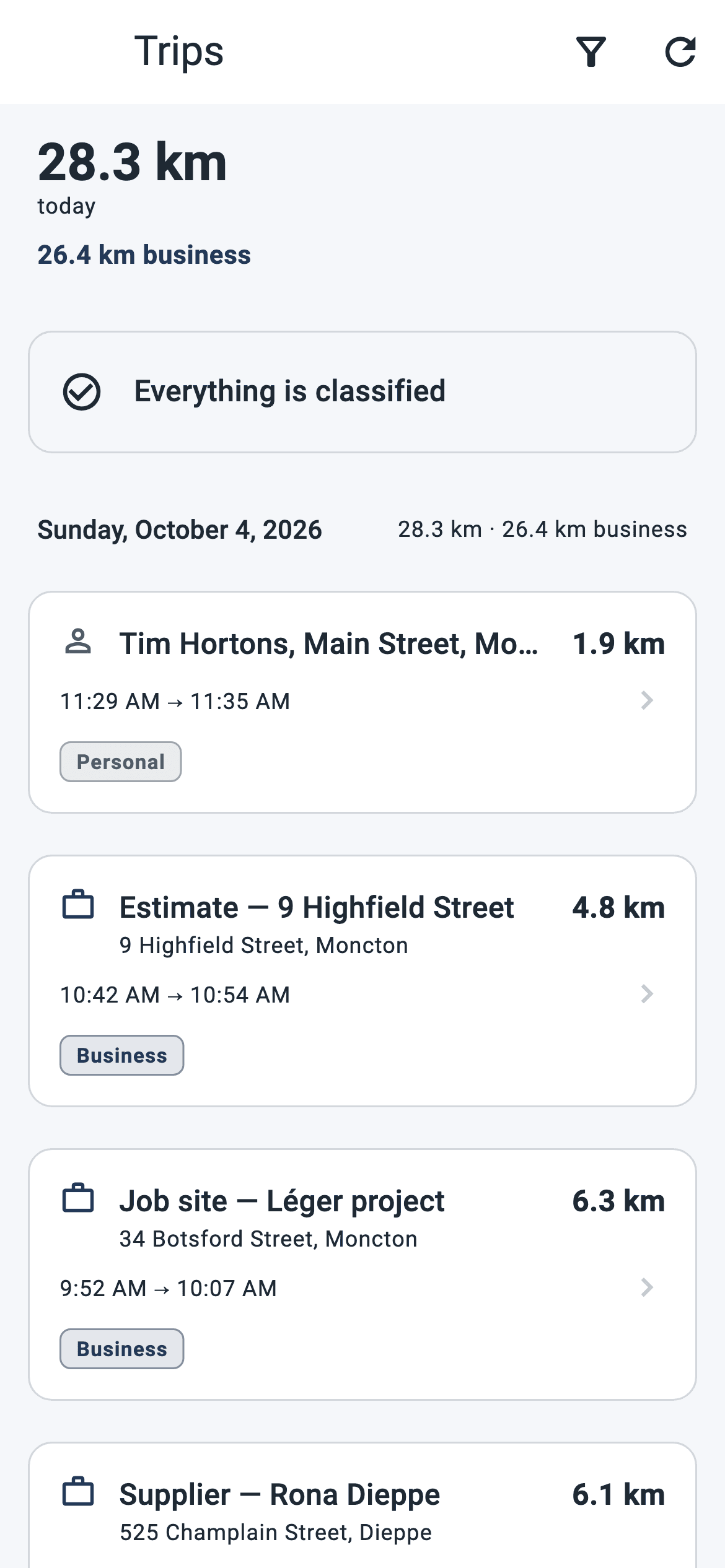
A job site entered once becomes a known place. Every trip that ends there classifies itself, with the project name as its purpose, for the whole duration of the work.
The hardware store and the lumber yard are places like any other: the trip's purpose says "Supplier", not "Project", and management reads a logbook that makes sense.
Work spreads over several days: the job covers the whole period, and every round trip finds its place without re-entry.
Materials, tools, subcontracting, fuel, meals: the receipt photo, taxes kept separate and the right category. The job site's record carries the number and total of its expenses.
Truck, trailer, personal car: each trip is tied to the right vehicle, and odometer readings are photographed, even without signal.
Knocking on doors around a job site is still a real channel. Each door is logged in one tap, streets already covered stay on the map, and the promised reminder arrives on the day you said.
The trip starts on its own as soon as the movement is credible, even with the screen locked and the phone in a coat pocket.
Arrival is recognized and time-stamped by the device. The trip gets its purpose: the job site, the project, the client. In a basement or out in the country, everything waits for signal and leaves on its own afterwards.
Date, start, end, distance, purpose and vehicle: the CRA logbook is produced as PDF or Excel, with the start- and end-of-year odometer readings.
For the organization
Management invites its crews in waves, sees kilometres and expenses per member and per month, and produces logbooks in bulk. It sees neither the route, nor the time, nor the address of a drive.
The organization never sees a member's live position or route: only totals, after the fact. Everyone keeps a private mode, two taps away, at all times.
On a job site that means: the company knows how many kilometres the crew drove this month, not what time the truck left or which way it went.
Everything continues on the device: trips, expenses, odometer readings, notes. Data leaves on its own when the signal returns, and the screen says what is still waiting to be sent.
Yes. A supplier is entered once as a place; from then on, every trip that ends there classifies itself with "Supplier" and its name as the purpose.
Each vehicle has its own record and odometer readings. A trip is tied to the right vehicle, and the annual logbook keeps each vehicle's kilometres apart.
Never. The company sees no live position, no route, no address and no time of a drive: only monthly totals. And you keep a private mode, two taps away, during which nothing is recorded.